

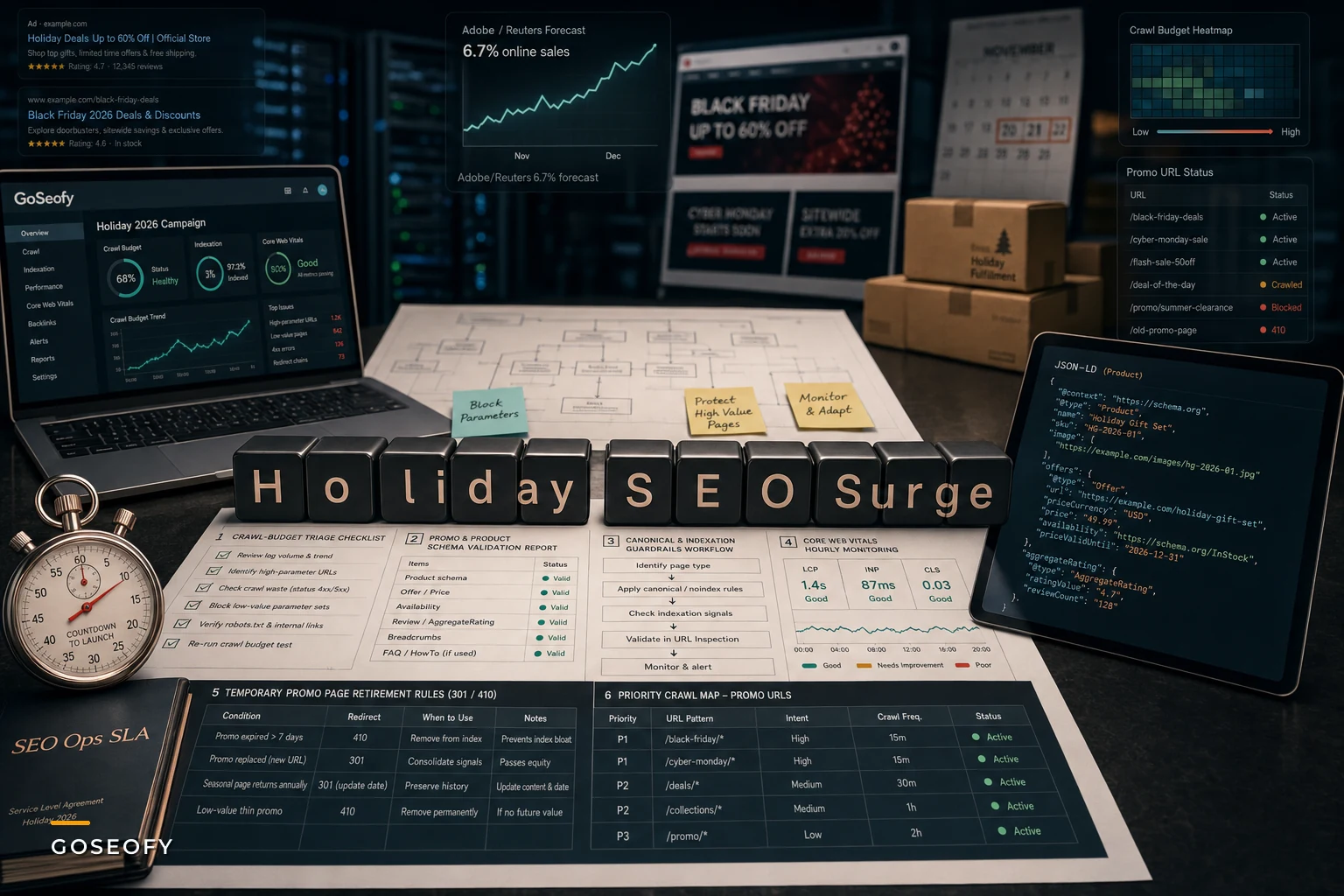

Adobe just put a number on what most retail teams were already bracing for. According to a recent Reuters report, U.S. holiday online sales are projected to grow around 6.7% this season, driven largely by deeper discounting and shoppers actively hunting for deals rather than browsing at full price.
That second part matters more than the headline number. A deal-driven season doesn't just mean more traffic — it changes what people search for, which pages they land on, and how fast your templates churn through price and availability changes. It also exposes operational weaknesses that most e-commerce SEO setups only discover in mid-November, when it's too late to fix cleanly.
So skip the "holiday SEO 2026 is coming, prepare now" stuff. If you've been through a few cycles, you know the season is coming. The real question is which parts of your crawl, indexation, and schema pipeline will quietly break under promo pressure — and how to harden them before the surge.
The deal-seeking shift breaks your indexation assumptions
When shoppers browse at full price, their queries are relatively predictable. Brand terms, product names, category phrases. Your existing ranking pages mostly cover it.
A discount-heavy season bends intent sideways. Queries pick up deal modifiers — "cheap," "deal," "discount code," "% off," "best price," plus the usual "black friday [category]" and "cyber monday [brand]" spikes. These aren't always served by your evergreen category pages. They're served by promo landing pages, deal hubs, and sale collections that often get spun up fast and die fast.
The problem is those pages tend to be created in a hurry, duplicated across categories, and loaded with canonical and indexing decisions that nobody reviews under deadline pressure. A typical pattern: a merchandising team clones last year's /black-friday collection into six category variants, each pulling slightly different product sets, each with near-identical copy. Google sees six thin, overlapping pages competing for the same intent. None of them rank well, and now you've diluted crawl attention away from pages that actually convert.
The deeper issue isn't the promo pages themselves. It's that seasonal pages operate on a completely different lifecycle than your permanent catalog, and most SEO ops treat them the same way. A product page lives for years. A "Cyber Monday Electronics Deals" page might matter for 96 hours and then become dead weight that still eats crawl budget in January.
Where crawl budget quietly gets wasted during promos
Teams consistently underestimate this one. During a surge, Googlebot activity shifts along with user demand, and if your site is already burning crawl on low-value URLs, the promo pages you actually want indexed get crawled slower — sometimes too slow to catch the window.
Stop losing visibility in search results.
GoSeofy helps you monitor, analyze, and improve your SEO performance with ease.
- Comprehensive keyword tracking
- Backlink quality monitoring
- Real-time SEO performance reports
No credit card required
Think about what a discount season adds to your URL footprint:
-
Temporary sale collection pages (often with faceted variants)
-
Promo-specific filter combinations (
?sort=discount,?sale=true, etc.) -
Coupon and deal-code landing pages
-
Expired-promo pages that return 200 but show "offer ended"
-
Duplicate category pages created for campaign tracking
Every one of those competes for bot attention. On large catalogs this adds up fast — seasonal parameter explosions can roughly double crawlable URL counts in a matter of weeks, almost none of it worth indexing.
If you haven't done a crawl-waste pass before the season, that's the single highest-leverage fix available. The mechanics of finding wasted bot activity and prioritizing fixes by conversion value are worth working through carefully — this crawl budget triage guide for large e-commerce sites covers how to identify where Googlebot is spending time on URLs that will never earn revenue, which is exactly the trap promo season amplifies.
Prioritize fixes by conversion value so limited crawl budget helps the pages that actually drive revenue during the launch window.
The practical move: decide before launch which promo URL patterns get indexed and which get blocked or canonicalized. Doing it after the fact means Google has already spent its budget in the wrong places.
Promo vs. evergreen: two different operating models
A lot of holiday SEO mistakes come from applying normal catalog rules to pages that need different handling. Here's how the two actually differ in practice:
| Aspect | Evergreen catalog pages | Seasonal / promo pages |
|---|---|---|
| Lifespan | Years | Days to weeks |
| Indexation goal | Index and keep ranked | Index fast, retire cleanly |
| Canonical strategy | Stable, rarely changes | Must prevent duplicate-collection bloat |
| Schema priority | Product data accuracy | Price + availability freshness, promo markup |
| Crawl priority | Steady | Front-loaded before peak |
| Post-season plan | None needed | Redirect or 410 after offer ends |
The column that gets ignored most is the last one. Nobody plans the exit. Promo pages accumulate year over year, and by the time you're cleaning up, you've got three seasons worth of orphaned sale pages still returning 200 status codes, still getting crawled occasionally, still confusing your internal linking.
A cleaner approach: every seasonal page ships with a predetermined retirement rule. Either it 301s to the relevant evergreen category when the offer ends, or it returns a 410 if there's no logical target. Decide this at creation, not in January.
Price and availability schema is where promos actually break
If you only harden one data layer before the season, make it structured data freshness.
During a normal month, price changes are infrequent and schema drift is tolerable. During a discount season, prices change constantly — flash sales, hourly deals, inventory-triggered markdowns — and your Product schema's price, priceValidUntil, and availability fields need to keep up. When they don't, you get the worst-case scenario: Google displays a stale price in the SERP, the shopper clicks expecting $49, lands on $89, and bounces. You paid the crawl and ranking cost for a visit that converts at near zero.
A common failure mode: the promo price shows correctly in the page's visible HTML, but the structured data still carries the old regular price because it's generated from a different data source that updates on a slower cadence. The two fall out of sync, and nobody notices because the page looks fine to a human reviewer.
Watch specifically for:
-
priceValidUntildates left in the past (Google may stop showing the rich result) -
availabilitystuck atInStockafter a flash deal sells out -
Sale price in HTML, regular price in JSON-LD
-
Promo markup applied to products not actually on sale
-
Currency or decimal formatting errors introduced by rushed template edits
The fix isn't glamorous. It's validation under pressure — sampling schema across your highest-traffic promo templates on a tight cadence during the peak window, not just once before launch.
Core Web Vitals under real traffic, not synthetic tests
Your lab scores don't predict what happens when traffic triples and deal pages are loading heavier-than-usual content — countdown timers, dynamic inventory counters, promo banners, third-party coupon widgets.
Field data during the surge tells a very different story than your pre-season lab runs. Pages that score fine in a quiet test environment can degrade badly when CDN cache hit rates drop under load, or when a deal-countdown script blocks rendering. The spike becomes the stress test, and by then you're reacting instead of preventing.
The operational discipline here is straightforward: set thresholds you'll actually act on, monitor real-user data hourly during peak days, and have a rollback plan for any promo-specific component that tanks your LCP or INP. That countdown widget driving urgency isn't worth much if it's costing you ranking performance you spent all year building.
A pre-season hardening checklist
Run through this before your first major promo goes live. Not exhaustive, but it catches the failures that actually hurt revenue:
-
[ ] Decide indexation rules for all promo URL patterns (index / noindex / canonical) before launch
-
[ ] Audit for duplicate sale-collection pages across categories and consolidate
-
[ ] Set a retirement rule (301 or 410) for every seasonal page at creation
-
[ ] Block or canonicalize promo-driven filter/parameter URLs
-
[ ] Validate
price,priceValidUntil, andavailabilityacross top promo templates -
[ ] Confirm sale price matches between HTML and JSON-LD
-
[ ] Clean up last season's orphaned promo pages still returning 200
-
[ ] Set hourly real-user Core Web Vitals monitoring for peak days
-
[ ] Prioritize crawl toward promo pages that need indexing in the launch window
-
[ ] Pre-write internal links from evergreen hubs to live promo pages
This is the kind of list that looks obvious in October and gets skipped anyway. Deadline pressure, competing priorities, "we'll handle it if it becomes a problem." By the time it becomes a problem, your flash sale window is halfway over.
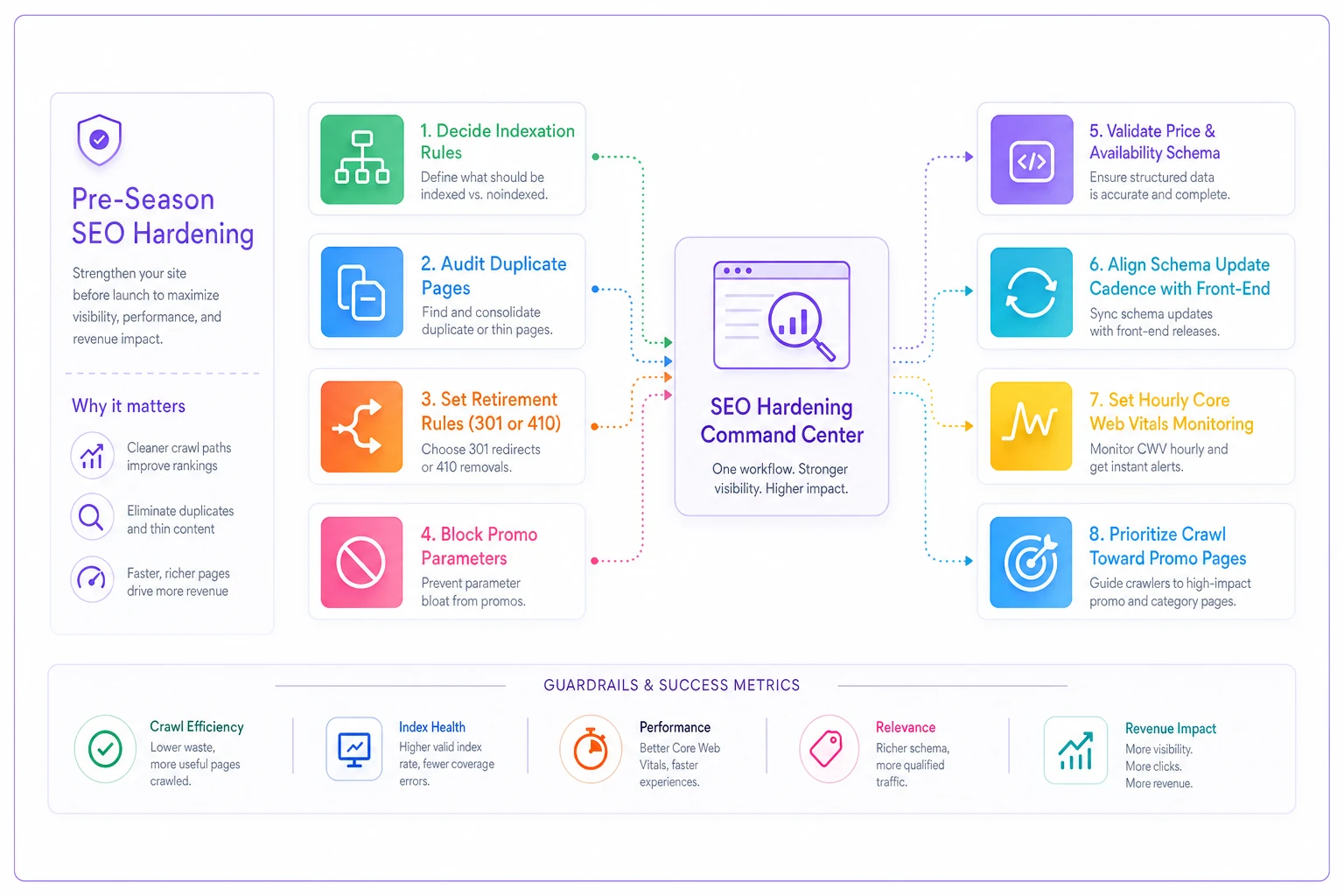
Here's a quick visual of the pre-season hardening workflow to share with your teams before launch.
A realistic scenario
A mid-sized home goods retailer — a few thousand SKUs, decent but not enormous organic footprint — went into last season assuming their standard setup would hold. It mostly did, except for two things.
Their campaign team had created separate sale pages for overlapping categories ("Kitchen Deals," "Cooking Sale," "Holiday Kitchen"), each targeting roughly the same intent. None of them ranked above page two for obvious "black friday kitchen" style queries because Google couldn't decide which was canonical. And their schema pipeline updated prices on a slower batch cycle than their front-end, so for the first big flash sale, the SERP showed regular prices for several hours while the actual pages showed the discount.
The combined effect wasn't catastrophic, but it was real — a noticeable chunk of potential deal-season organic clicks lost, concentrated in the exact high-intent windows that matter most. Both issues were entirely preventable with decisions made before launch rather than discovered mid-sale.
The following cycle they consolidated to single authoritative sale hubs per category, aligned the schema update cadence to the front-end, and the same promo windows performed noticeably better with essentially the same traffic. No new content, no new links — just operational cleanup.
When aggressive promo-page SEO actually makes sense (and when it doesn't)
Not every store should spin up elaborate deal-page architecture.
This makes sense when: you have a large catalog, meaningful seasonal demand swings, and enough organic traffic that capturing deal-intent queries moves real revenue. If promo season is genuinely different in volume and intent for your business, proper seasonal page lifecycle management pays off.
This is a bad idea when: you have a small catalog or thin organic traffic. Spinning up dozens of temporary pages just creates thin-content and crawl-waste problems without enough upside to justify them. You're better off applying discounts to your existing, already-ranked category pages and skipping the separate landing page approach entirely.
Who should be especially careful: stores that can't guarantee clean page retirements after the season. If you can't reliably execute redirects or 410s when offers end, every promo page you create becomes next year's cleanup debt. The accumulation will eventually cost you more crawl efficiency than those pages ever earned.
The underlying lesson
A discount-driven season compresses timelines and multiplies URLs, which turns every small operational weakness into a visible revenue problem during exactly the window you can least afford it.
Your catalog can tolerate a little schema drift or crawl waste for most of the year. A promo surge can't. The teams that come out ahead aren't the ones who scramble hardest in November — they're the ones who made the indexation, canonical, schema, and retirement decisions deliberately, weeks ahead, so the surge becomes something they've already prepared for rather than a crisis they're managing live.
Treat seasonal pages as a different operating model, lock down your price and availability data before the first flash sale, and keep your crawl pointed at what converts. The 6.7% Adobe is projecting is there to be captured — the only question is whether your technical setup is ready to capture it, or whether you'll spend peak week firefighting problems that could have been solved in September.
Ready to elevate your search rankings?
Join 5,000+ businesses using GoSeofy to increase organic traffic, optimize content, and outperform competitors online.